This tab contains a general description of the memo.
For rules on how to use the fields, see Detail form.
- Memo (required): Identifier of the memo. It is unique in the application. This is initialized by the application, but you can change it.
- Name (required): Name of the memo. This is used to specify the contents of the memo. Title displayed according to language displayed. If there is no translation in the selected language, the default creation language title is displayed.
- Language (required): Language of the memo displayed (Title + Message). Initialized by the language of the logged-in user.
Displays the memo in another language for preview, or translates the message and title into that language if required. - Type: This is used to classify memos according to your organization. See the MEMOTYPE values list.
- Organization: Organization to which the memo is linked.
- Displayed from (required): Memo distribution start date and time. Initialized with the current date and time.
- Until: Memo distribution end date and time.
-
Pop-up notification: For a general memo, you can choose whether or not it should be displayed in a pop-up when users log in.
For a memo on an entity, the checkbox is greyed out.
The memo is always displayed in a pop-up, when the detail form for the entity concerned is opened. - Message: You have several lines to give the detail of your message. The message is in the language selected on the memo. If there is no translation in the language selected on the memo, then the message for the creation language is displayed as default (and also for the title).
- Display the sender: Check if you want to display the sender's name in the memo.
- Source: this field allows you to distinguish a conventional memo from a memo dedicated to the RGDP. 2 values are possible. The NOTIFICATION value which corresponds to a conventional memo and the GDPR value which allows you to declare a memo associated with the general conditions of use. This value is only accessible if the user has the Manage consent profile right (System/Global).
A GDPR memo is used to declare the General Terms of Use. It has the same information as a conventional memo, except that it is necessarily flagged as a popup and does not have an end date.
When logging onto CARL Source, this memo is offered to users with a required consent type. Only two buttons are accessible: Accept and Refuse. A user response is required.
This type of memo does not appear in the memo dialog box, but does appear in a new Access to the UGC menu
menu
There is no need to declare multiple GDPR originating memos except:
1. if the General Terms of Use are different for different users (e.g. different organizations with different conditions).
2. if the General Conditions of Use have to be displayed in different languages (in this case, create a memo by language and associate the users involved).
Addressees
By default, the message is addressed to "All users" (checkbox).
If you uncheck the "All users" box, you can add as many recipients as necessary by selecting:
- A user;
- A profile, in which case all users with the selected profile will receive the message;
- An organization, in which case all users assigned to the selected organization will receive the message.
Display conditions
After a memo is created, its display conditions are initialized.
A general memo is displayed:
- From the list of "Memos to be viewed" via the icon
 ,
,
- Automatically in a pop-up when a user logs on to CARL Source, if the Pop-up notification box on the memo is checked.
A specific memo can be viewed:
- From the list of "Memos to be viewed" via the icon ,
- Automatically in a pop-up when the detail form for the entity concerned is opened.
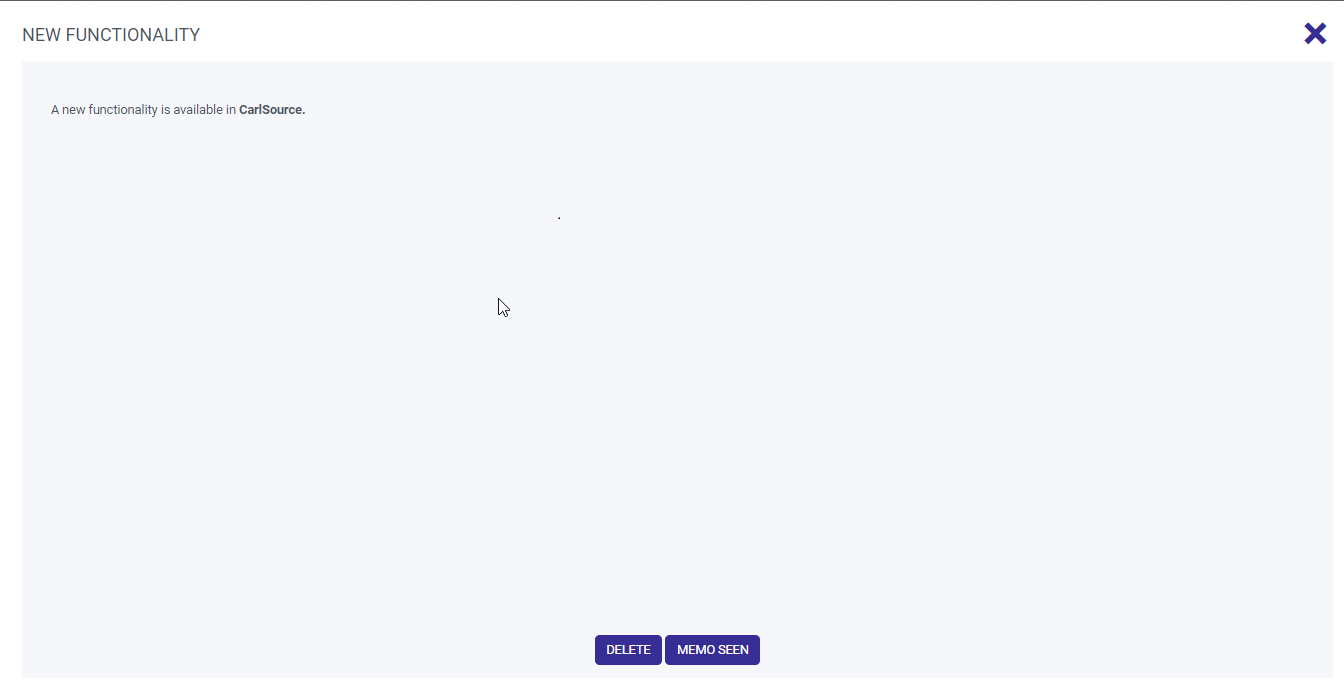
When the memo is displayed, you can click on:
- Memo read → The memo will then be marked as read.
- Delete → The memo will then not be displayed again.
Follow-up
After a memo is created or changed, its tracking is updated.
- Created on: Memo creation date.
- By: User who created the memo.
- Changed on: Date the memo was last changed.
- By: Last user who changed the memo.
Managing linked Documents
Add linked documents
It is possible to add linked documents (image, document, plan) to "Memo" entities using the same principles as for other entities; see linked documents.
Display linked documents
Once documents have been associated with a memo, they can easily be added to the content of the memo using the text editor.Add an image
- Click on icon
 to associate an image.
 - In the pop-up, select the image to be included in the memo from the "List of images".
- The "Source," "Width," and "Height" fields are updated accordingly and can be changed.
- Upon confirmation of the pop-up, the image is included in the memo.
Add a hypertext link
- Click on the icon
 to associate a document with a hypertext link.
 - In the pop-up, select the document to be included in the memo from the "List of links".
- The "Url" and "Text" fields are updated accordingly and can be changed.
- Upon confirmation of the pop-up, the document is added in the form of a hypertext link in the memo.