This screen can be accessed from an entity's detailed "Linked documents" section.
It allows you to view all the linked documents associated with the entity but also to change the order in which the documents are displayed in the "Linked documents" section.
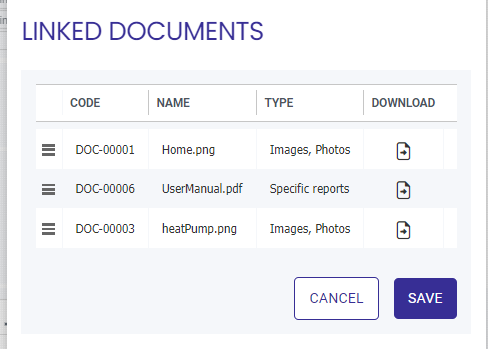
The displayed fields are as follows:
- 38209 : Action required, via "drag and drop," to change the order of the lines in the table and thus their display order in the"Linked documents" section.
- Code: Functional identifier of the document. Unique in the application.
- Name: Name of the document.
- Type: The type to which the document belongs from among those defined for the application. see Document types.
- Download: Action required to view/download the document.
- Cancel / Save: Actions required to confirm or otherwise the change of order of the rows in the table.